
Social media these days can be a bit of a maze … We created this space to help JManFans with navigate their way around TxLovesJFF …
Here you will find out, where to like our pages, follow our twitter and subscribe to this blog.
Be patient … there is more to come but for now, let’s start with How to Invite Your Friends to Like the TxLovesJFF Page — This link will take you to a new page with a PDF features a PDF (that you can download, or look at, or frame for your office or … ) The PDF contains a few busy but helpful guides to like the TxLovesJFF Facebook page and invite your friends, AND leave us a review … if you like. 🙂
For your convenience, here are the photos from the PDF … Follow the numbers!

First make your way to www.facebook.com/txlovesjff
Are you on a desktop or laptop? You are in the right place! On Mobile? Start here!
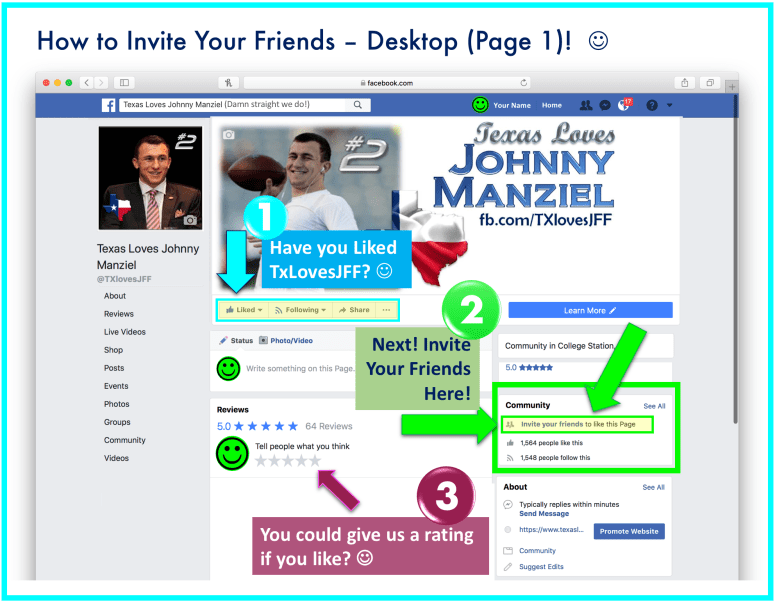
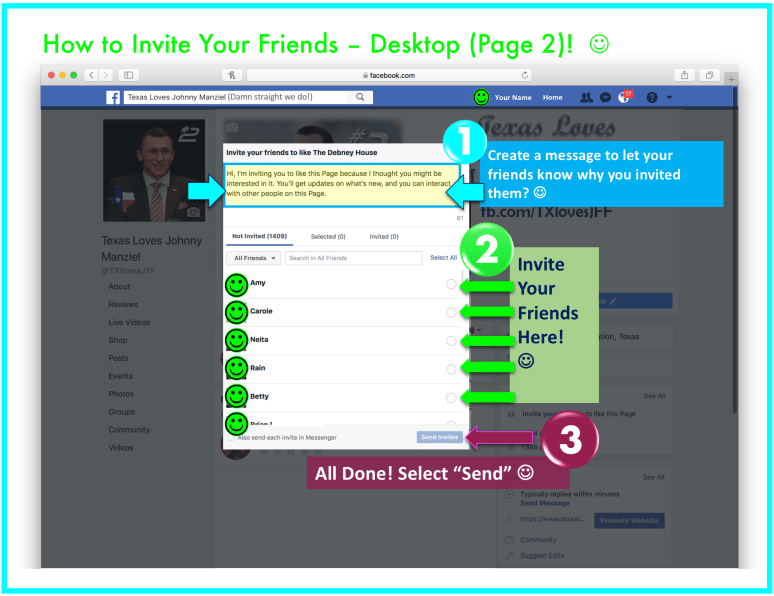
That’s it for the desktop users! Thank you for liking our page and inviting your friends!
Mobile Users Start Here!

Keep scrolling down til you see the section that says “Community”
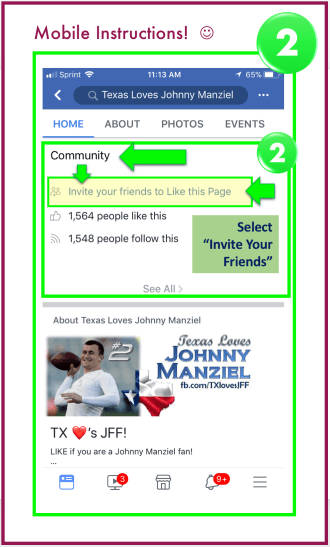
You can either search for a specific person or scroll down your list of friends — this one is always good because you can ensure you remember to invite ALL the your JFF fans!
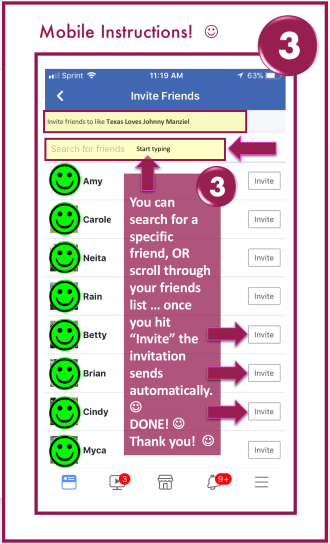
That’s it folks! Thank you for liking our page and inviting your friends! Special thanks for supporting TXLovesJFF and Johnny Manziel!
Check back later for instructions on how to subscribe to this website in order to get all the latest info, AND how to follow us on twitter! 🙂
 txlovesjff
You must be logged in to post a comment.